



A damaged laptop screen has a way of derailing your whole day. Whether you knocked the lid shut on a pen, dropped your bag a little too hard, or your screen has just started flickering out of nowhere, the panic is the same — you need your laptop working, and you need it working soon.
The good news is that most laptop screen problems are fixable, and knowing what's actually wrong before you book a repair can save you time and money. Here's how to work out what's happening with your screen, what it typically takes to fix, and where to get it sorted in Invercargill.
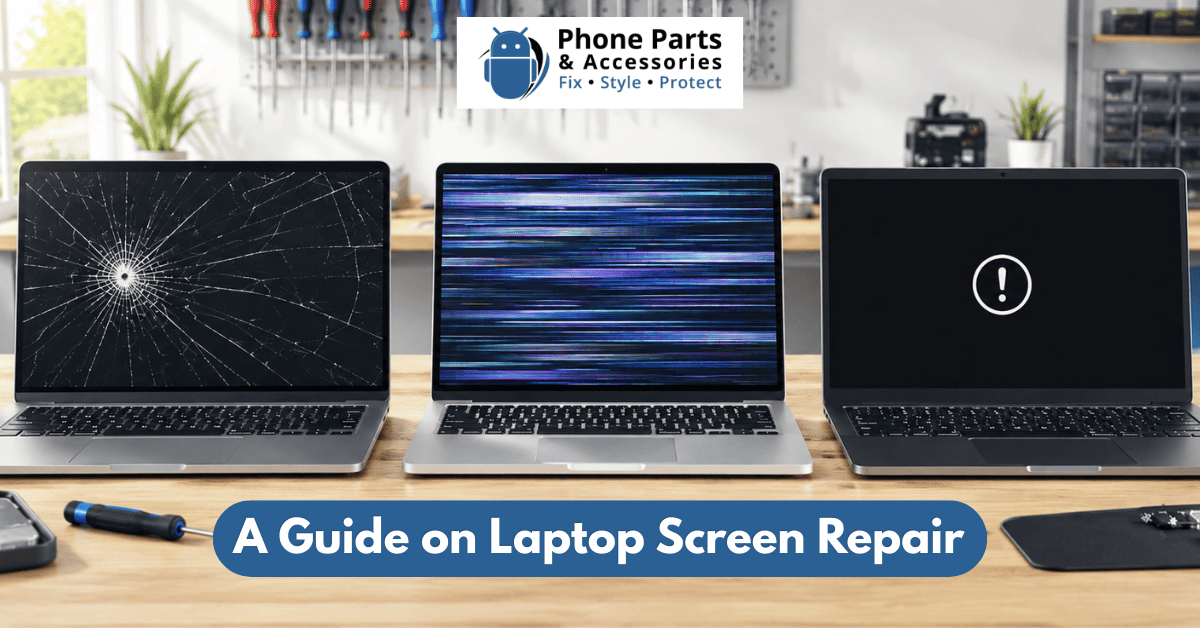
A visibly cracked or shattered screen is the most straightforward laptop fault to diagnose — there's spider-webbing across the glass, a section that's gone completely dark, or lines radiating out from a clear impact point. This almost always means physical damage to the LCD panel itself, and the fix is a full screen replacement.
A few things worth knowing:
Even a small crack in the corner can affect the display underneath, and cracked glass tends to spread over time as the laptop flexes with normal use.
If your laptop has a touchscreen, the replacement needs to match — using the wrong panel means losing touch functionality even if the display itself works.
If the impact was hard enough to crack the screen, it's worth having a technician check whether the hinges or the lid frame took damage as well, since that affects how the new panel will sit.
Flickering is trickier to diagnose than a crack because it can point to several different causes, and the fix depends entirely on which one it is.
The ribbon cable connecting your screen to the motherboard runs through the hinge, which means it flexes every time you open and close the lid. Over years of use, this cable can wear, fray, or work loose — and a classic symptom is flickering that gets worse when you adjust the screen angle. This is usually a cheaper fix than a full panel replacement, since it's the cable being reseated or replaced rather than the display itself.
If the flickering happens across all your open windows and seems to correlate with certain apps or after a recent update, it might not be hardware at all. This is worth ruling out before paying for a physical repair.
Older laptops with CCFL backlights (rather than LED) can develop inverter faults that cause flickering or dimming. On most modern laptops this is less common since LED backlights are more reliable, but it still shows up occasionally.
Sometimes an impact cracks internal layers of the LCD without shattering the outer glass, and flickering is the first sign something's wrong before a visible crack appears.
Because there are several possible causes, flickering is one of the faults where a proper diagnostic really pays off — guessing wrong means paying for a part that wasn't actually the problem. You can book a repair at Phone Parts & Accessories in Invercargill to get quick repair solutions with the best estimates.
A completely black screen is the hardest fault to self-diagnose, because "black screen" can mean the display panel has failed, or it can mean the laptop isn't actually reaching the display at all.
Before assuming the worst, it's worth checking:
Listen for fans spinning or check if the keyboard backlight (if it has one) comes on. If there's no sign of life at all, the issue might be the power supply or motherboard rather than the screen.
If you can plug in an external display and see your desktop, the problem is isolated to the internal screen or its cable — not the motherboard or graphics card. If the external monitor is also blank, the fault is more likely upstream.
Shine a torch at an angle across the screen in a dark room. If you can just make out a dim image, the backlight has likely failed even though the panel itself is still working — a different (and sometimes cheaper) fix than a full replacement.
A black screen can be caused by a dead panel, a failed backlight, a disconnected or damaged display cable, a graphics card fault, or a motherboard issue — which is exactly why proper diagnostics matter here more than with any other screen fault.
| Symptom | Likely cause | Typical fix |
|---|---|---|
| Visible crack, shattered glass | Physical panel damage | Screen replacement |
| Flickering that changes with lid angle | Loose/worn display cable | Cable reseat or replacement |
| Flickering across all apps, no lid correlation | Graphics driver/software | Software fix, no parts needed |
| Black screen, laptop powers on, external monitor works | Internal screen or cable fault | Screen or cable replacement |
| Black screen, faint image visible with torch | Backlight failure | Backlight or panel replacement |
| Black screen, no power signs at all | Power supply or motherboard fault | Full diagnostic required |
This is a general guide, not a diagnosis — the only way to know for certain is to have the laptop properly tested, since several of these faults look identical from the outside. Get the best repair quote for your laptop repair today!

At Phone Parts, we repair laptop screens for all major brands — Dell, HP, Lenovo, Asus, Acer, MacBook, and more — right here in Invercargill. A few things that make the process easier if you're weighing up your options:
For most straightforward panel replacements, the actual repair work takes under an hour once the correct part is on hand. The bigger variable is parts availability — common models like recent MacBooks, Dell Latitudes, and HP Pavilions are often held in stock or sourced quickly, while older or less common models may need to be ordered in. When you bring your laptop in, we'll tell you upfront whether we can turn it around same-day or whether it'll take a few extra days for the part to arrive.
Once your laptop's back in one piece, a few habits go a long way toward avoiding a repeat visit:
This is the single most common cause of cracked screens — a pen, USB drive, or even a stray earbud gets left on the keyboard, and the pressure from closing cracks the panel directly above it.
Bags get thrown around more than we'd like to admit, and a sleeve adds a meaningful buffer against knocks.
Lifting or carrying a laptop by the lid puts uneven pressure on the hinges and the display cable running through them — over time this is a common cause of the flickering issues covered above.
Spills don't just risk the keyboard and motherboard — moisture can seep into the screen's connector and cause flickering or dead pixels weeks after the actual spill.
If the glass or display panel itself is cracked or has dead pixels, it needs replacing — there's no way to repair a shattered panel. If the issue is a loose cable, a backlight fault, or a software glitch, the panel itself can often be saved.
This depends on the age and overall condition of the machine. For a laptop that's otherwise running well, a screen repair is usually far cheaper than a replacement laptop. If the laptop is already several generations old and struggling to run modern software, it's worth asking us for an honest opinion when you bring it in — we'd rather tell you a repair isn't worth it than sell you one that is.
A screen repair shouldn't touch your storage drive or data, but as with any repair involving opening up the device, we recommend backing up your files beforehand. It's standard practice and outlined in our service terms — if data backup matters to you, do it before dropping the laptop off.
Yes — Phone Parts & Accessories at Invercargill handles screen repairs across major brands including MacBook, Dell, HP, Lenovo, and Asus.
You can send your laptop in for repair. We'll assess it, carry out the fix, and ship it back to your address once it's done.
If your laptop's screen is cracked, flickering, or has gone completely black, the fastest path forward is a proper diagnostic rather than guessing and buying a part that might not fix it. Pop into our Invercargill store at Shop 3, 24 Leven Street, or give us a call on 03 242 0424 to talk through what you're seeing and book a time.
You can also request a quote online or book your repair directly through our site if you'd rather sort a time before you come in.

Get everything you need for your phone repairs in one convenient place. Plus, take advantage of expert installation services and exclusive perks for new customers—including free shipping!

Register now to get latest updates on promotions & coupons. Don’t worry, we not spam!
By subscribing you agree to our Terms & Conditions and Privacy & Cookies Policy.


Get everything you need for your phone repairs in one convenient place. Plus, take advantage of expert installation services and exclusive perks for new customers—including free shipping!